Discover an efficient solution for managing walk-in clients at your barbershop. Utilize Barberly's Appointment Board and Self-Check-in Kiosk, enabling clients to select preferred times or join the queue effortlessly. The system displays waitlist positions on a monitor, ensuring a smooth and organized experience for all
Barberly's self-check-in kiosk offers two efficient walk-in options for your barbershop
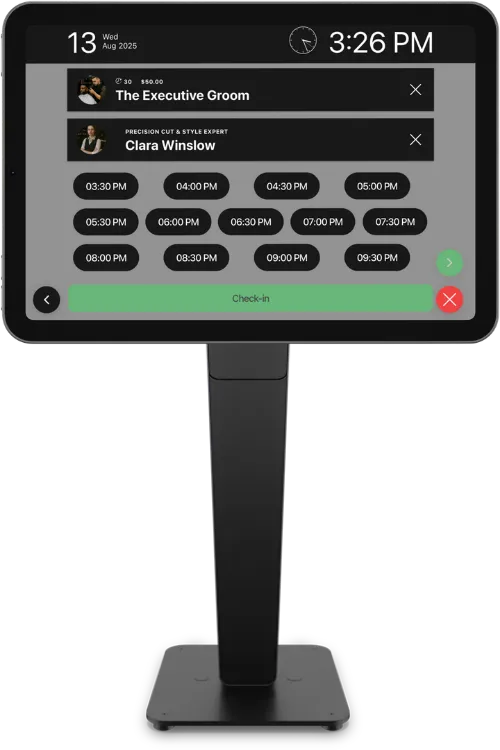
Walk-in clients pick the next or later available time slot for today without the need to wait in line or interact directly with staff
Instead of picking a specific time, walk-in clients simply check into the queue and receive a numbered ticket. Once checked in, clients wait for their turn to be called by the barber or administrator
Open the Barberly kiosk on an iOS or Android tablet and place it near your entrance or reception. Clients can check in on their own by selecting a service, choosing a preferred barber, and confirming their visit. All check-ins instantly appear in your schedule and appointment board, helping your team stay organized and reducing front-desk workload.
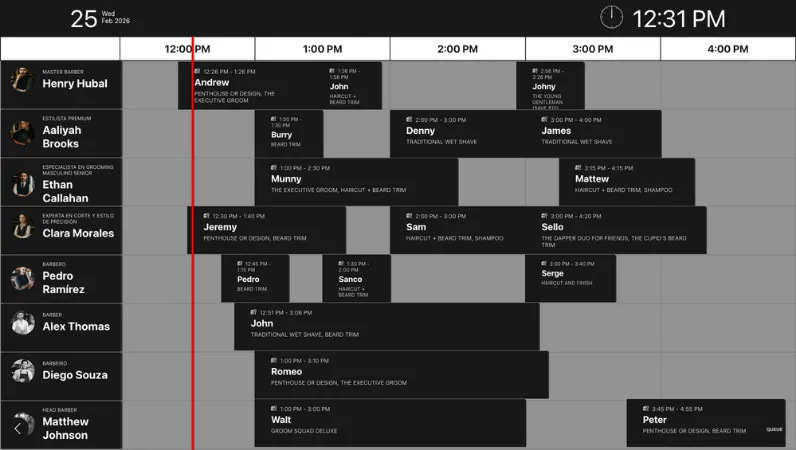
The Appointment Board displays everyone coming into the shop — walk-ins, online bookings, and clients who check in through your self-check-in kiosk — all in one clean timeline. Designed for barbershops, it helps reduce confusion, improve flow, and create a more professional in-shop experience

What it shows
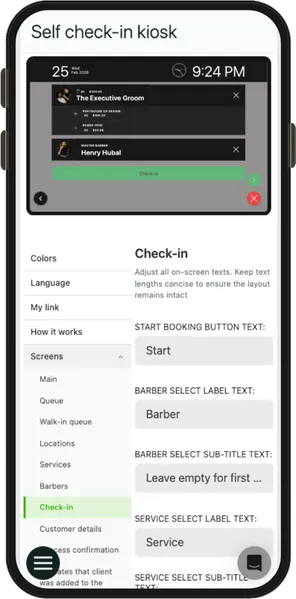
Barberly gives you one simple place to configure your live screens. Update design, structure, and content in seconds — whether you're on your phone, computer, or browser

Compiled from the most common inquiries received by our support team
No. Barberly works with hardware you already have. The self check-in kiosk runs on any modern iOS or Android tablet, and the appointment board can be opened on any TV or screen with a browser.
No. The kiosk is for check-in only. Payments are handled during checkout using your normal Barberly POS and payment methods.
Any modern tablet works — iPad or Android. You simply open the kiosk mode and place the tablet where clients can access it.
Open it on a TV or large display and it shows upcoming appointments, queue status, and checked-in clients in real time.
Yes. The board combines online bookings, staff-created appointments, and walk-in check-ins into one live timeline.
Yes. You can change colors, layout, and branding directly from Barberly — no technical setup needed.
Yes. Configuration is available from the Barberly mobile app, desktop app, and web version.
Yes. Any updates you make are applied immediately to the kiosk and appointment board.
Access every Barberly feature free for 30 days. No credit card required.