Login

Walk-in queue management

★★★★★4.8 on Trustpilot1,300+ barbershop apps published11K+ barbers in 55+ countries
★★★★★4.8 on Trustpilot·11K+ barbers

Let walk-in clients join the queue through a self check-in kiosk, watch their position on a TV screen, and give your barbers full queue control from the Barberly app.

Two Efficient Walk-in Solutions with Barberly

Choose Your Queue Option: Walk-in Appointments or Walk-in Queue and Waitlist

Barberly's self-check-in kiosk offers two efficient walk-in options for your barbershop

Walk-in appointments

Walk-in clients pick the next or later available time slot for today without the need to wait in line or interact directly with staff

Classic walk-in queue and waitlist

Instead of picking a specific time, walk-in clients simply check into the queue and receive a numbered ticket. Once checked in, clients wait for their turn to be called by the barber or administrator

Place a tablet at your entrance and let walk-ins join the queue on their own.

Clients check in to the queue from a kiosk

With Barberly's self check-in kiosk, walk-in clients select a service, pick a barber if they want, and join the electronic queue — no receptionist needed. Their position is tracked automatically and displayed on the appointment board, so both clients and barbers always know what's happening.
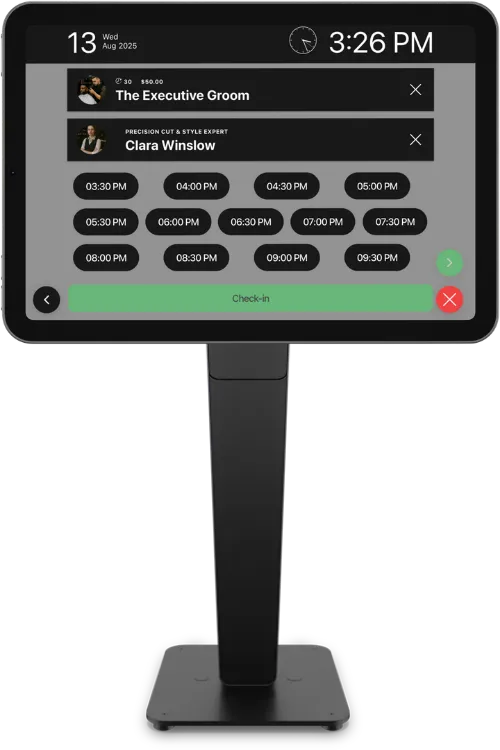
Walk-in clients checking in to the queue from a kiosk
Live Queue on TV Screen

Clients watch the queue on a big TV screen

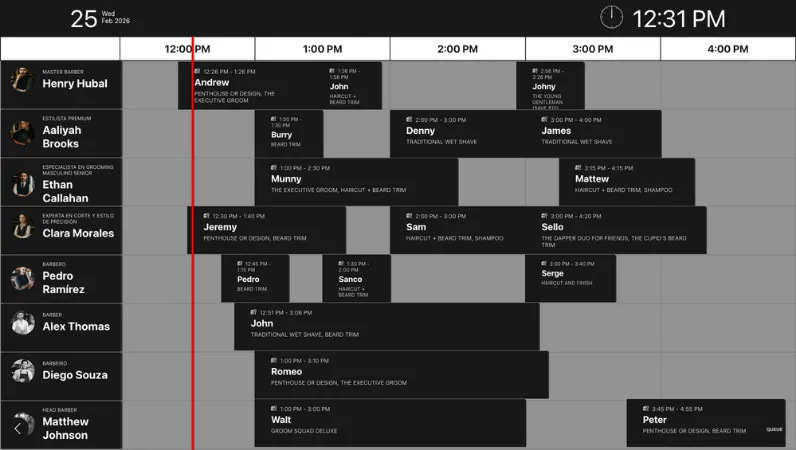
Display the walk-in queue, upcoming appointments, and kiosk check-ins on any TV or large screen in your barbershop. Clients can see their position in real time, reducing uncertainty and creating a more transparent, organized in-shop experience

Walk-in queue displayed on barbershop TV screen

What clients see

  • Walk-in clients and their queue position
  • Clients checked in via self check-in kiosk
  • Online bookings and staff-created appointments
  • Real-time updates as the queue changes
  • Clear timeline for the current working hours
Manage the queue from anywhere

Barbers control the queue from their phones

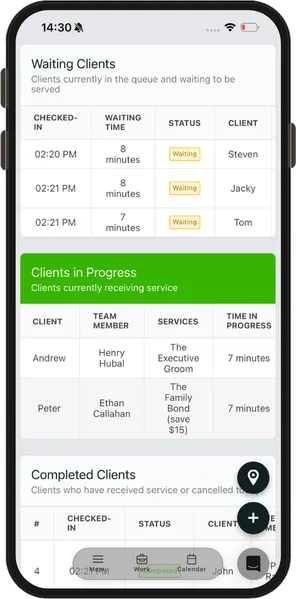
Each barber can manage walk-in clients directly from the Barberly app. Accept the next client, skip someone who left, or reassign a walk-in to another barber — all without leaving the chair. The queue updates instantly on the appointment board and kiosk.

Barber managing walk-in queue from mobile app
  • See the full walk-in queue in real time
  • Accept or skip clients from the queue
  • Reassign walk-ins to a different barber
  • Start the service and mark it as completed
  • Works from the Barberly mobile, desktop, or web app
Barber managing walk-in queue from mobile app
Frequently asked questions

Walk-in queue management

Compiled from the most common inquiries received by our support team

Walk-in clients check in through a self check-in kiosk — a tablet placed at your entrance. They select a service, choose a barber if they want, and join the electronic queue automatically.

Yes. The walk-in queue is displayed on the appointment board, which you can show on any TV or large screen in your barbershop. Clients can see their position and estimated wait in real time.

Barbers manage the queue directly from the Barberly mobile app. They can accept the next client, skip someone who left, reassign a walk-in to another barber, or mark a service as started or completed.

Yes. The appointment board combines walk-in queue entries with online bookings and staff-created appointments into one unified timeline, so there is no confusion between scheduled and walk-in clients.

You need a tablet (iPad or Android) for the self check-in kiosk and optionally a TV or large screen to display the appointment board. Barberly runs in a browser, so no special hardware or installation is required.

Yes. The walk-in queue works independently. If your barbershop only serves walk-in clients, you can use the kiosk and queue board without enabling online booking at all.

Everything you need to run your barbershop

Explore Barberly by features

Free for 30 days

It's free to try. We hope you do.

Access every Barberly feature free for 30 days. No credit card required.